Open Silo
Project overview
Designing traceability into food supply chain safety
Open Silo is a traceability platform concept for food supply chains. It brings fragmented batch and partner information into one place so operations teams can see where a product has been, identify who may be affected by contamination, and coordinate a response.
I worked across discovery, MVP definition, workflow design, the design system, and a local React prototype.
01
Discovery and MVP
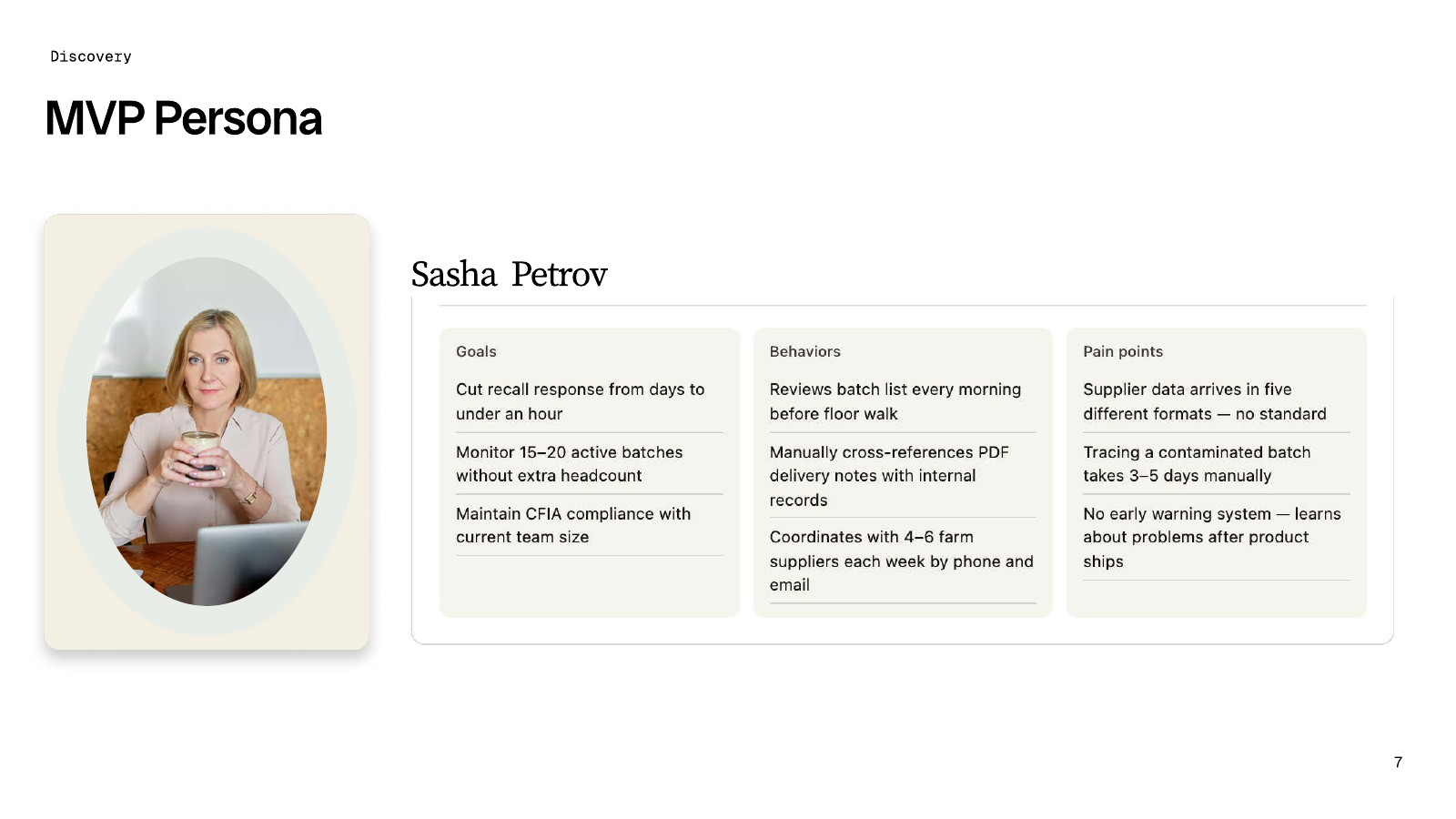
The starting problem was fragmented supplier data. The MVP persona, Sasha Petrov, reviews active batches before walking the floor, cross-checks PDF delivery notes against internal records, and coordinates with suppliers by phone and email. In the persona scenario, tracing a contaminated batch manually can take three to five days, and teams may learn about an issue after the product ships.
I used Claude to synthesize the discovery material, compare personas and possible user flows, and identify gaps and exceptions. That helped separate the core work of monitoring batches, tracing an affected lot, and coordinating a response from ideas that could wait.
02
Contamination Response
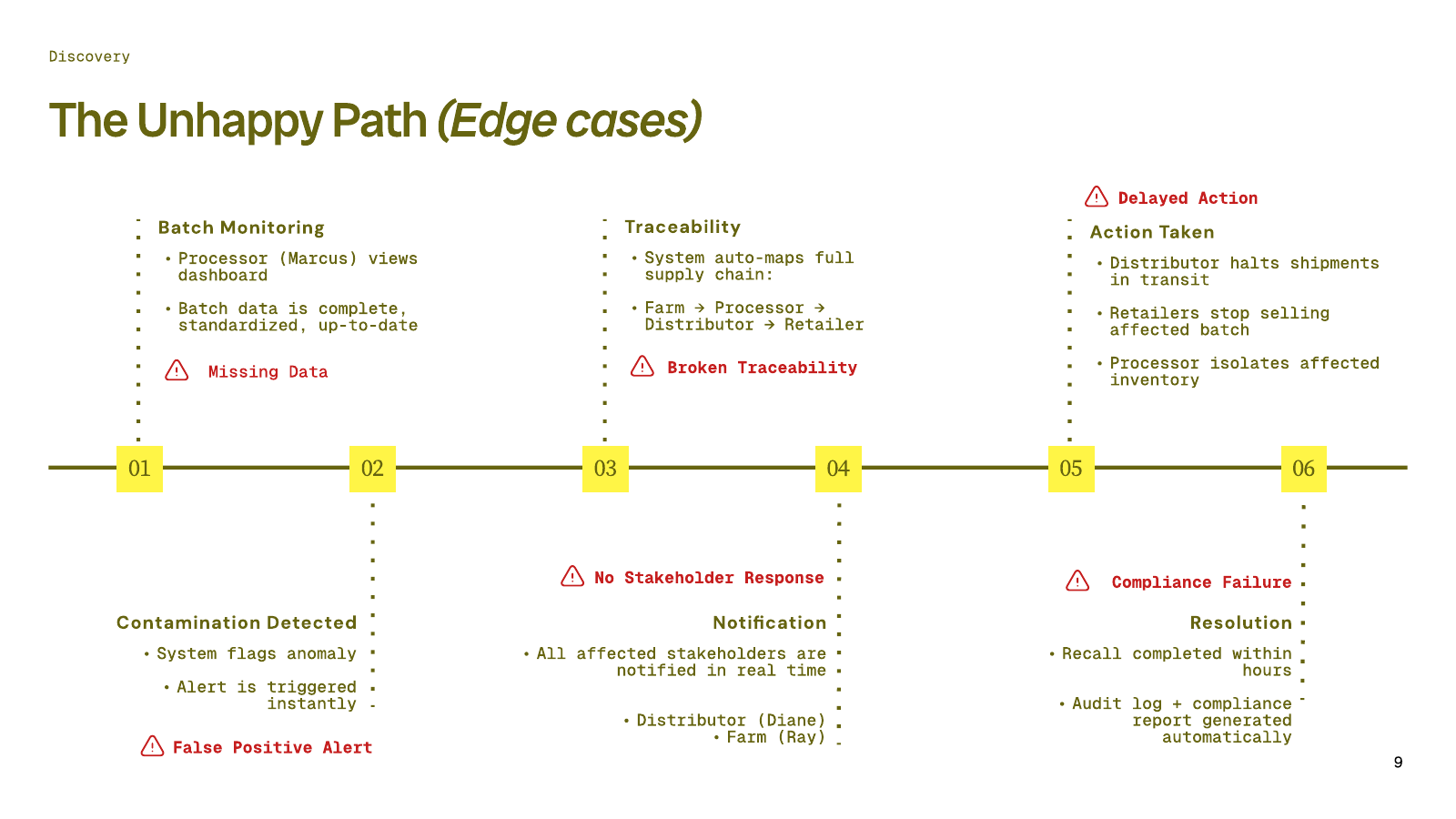
I mapped the path from routine monitoring to a documented resolution. The traceability model links the farm, processor, distributor, and retailer so teams can see where to act.
- Monitor batches. The processor checks the dashboard and the latest batch records.
- Detect an anomaly. A contamination signal triggers an alert.
- Trace the batch. The system maps the affected lot across supply chain partners.
- Notify partners. The affected parties receive the alert.
- Coordinate action. The distributor halts shipments, retailers stop selling the affected batch, and the processor isolates inventory.
- Document the resolution. The proposed workflow generates an audit log and compliance report.
I also mapped six ways that path could break, from missing data and false positives to broken traceability, unanswered notifications, delayed action, and compliance failures.
03
Design and Accessibility
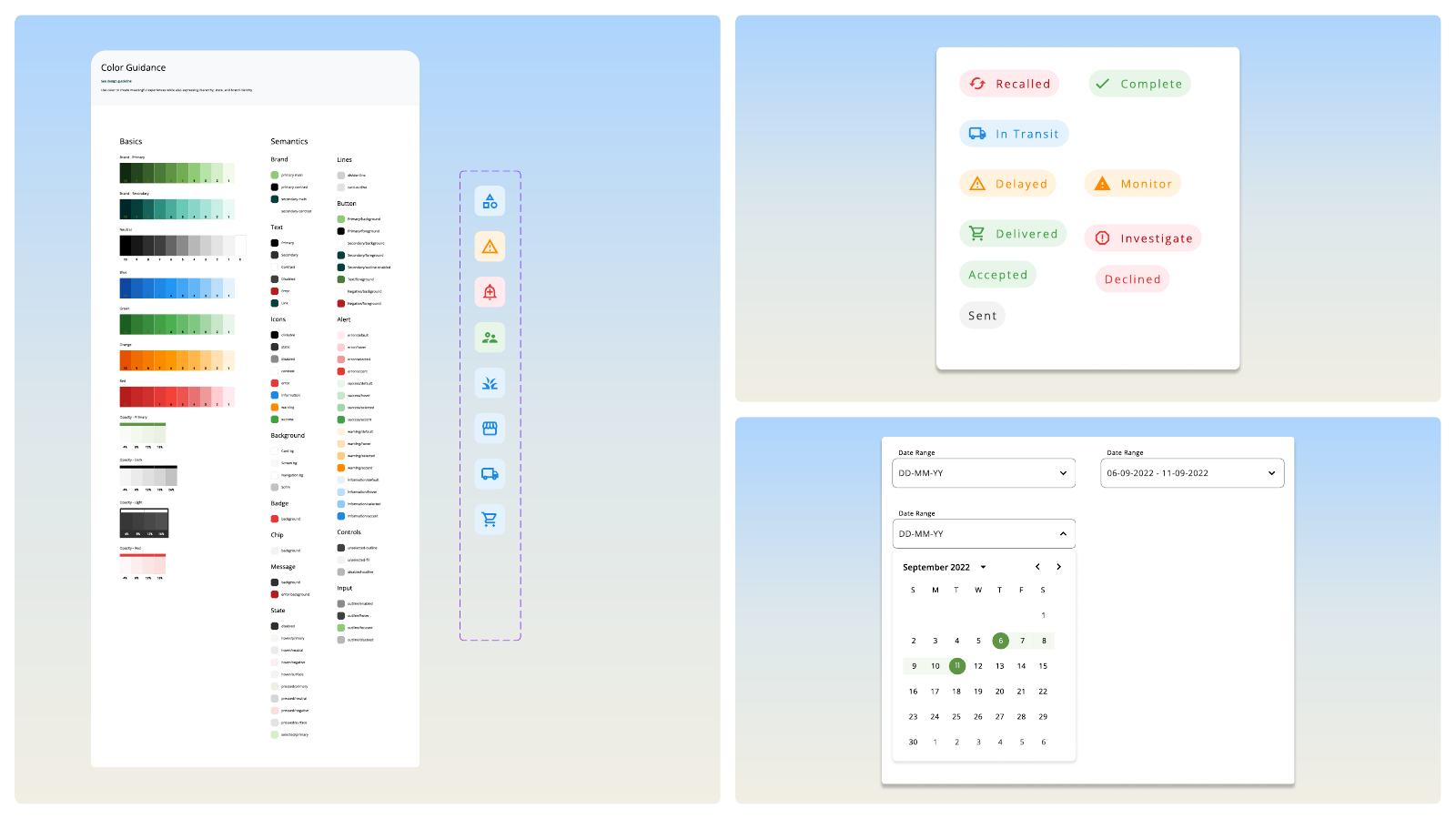
I used Material UI as the design-system base, then defined Open Silo’s colour palette and typography in Figma. Open Sans carries interface text and Poppins highlights metrics. I added reusable patterns for cards, data containers, buttons, and status indicators as the screens took shape.
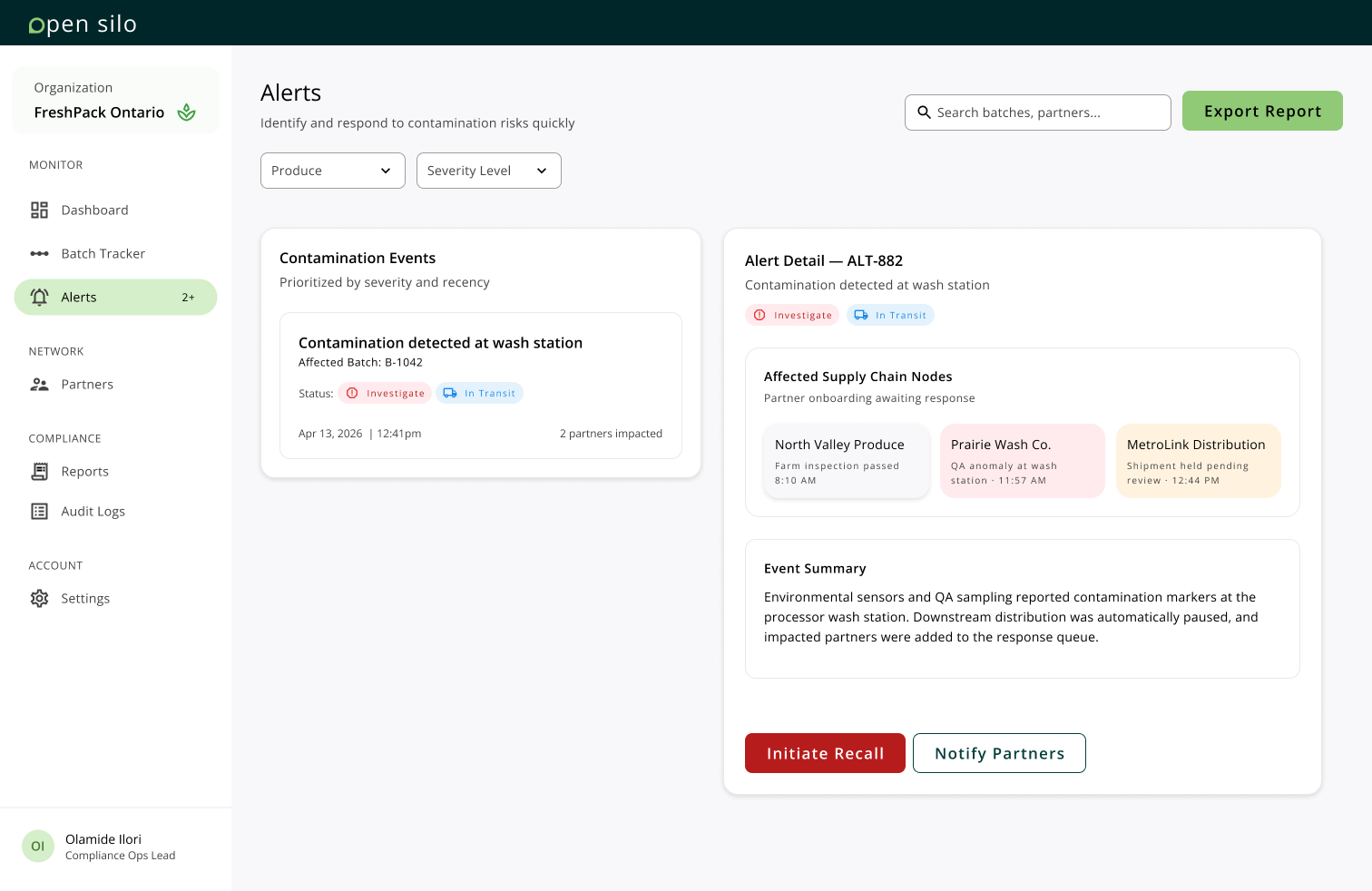
Making alerts easier to scan
Status labels and icons reinforce colour cues. Clear headings and consistent cards separate the alert summary from the affected partners, and the recall action is visually distinct from the option to notify partners.
04
Product Views
Dashboard
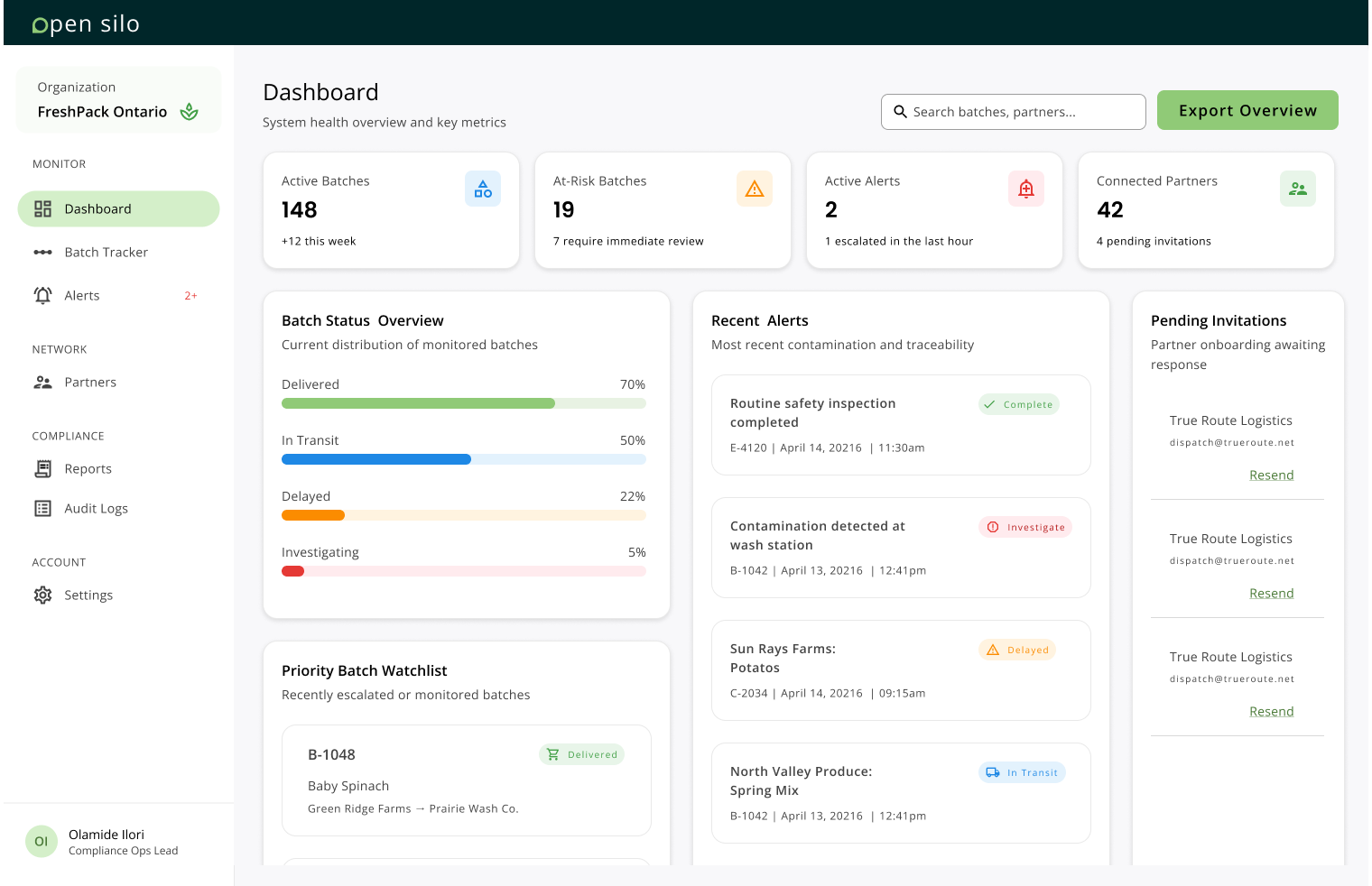
The final draft puts active batches, at-risk batches, active alerts, and connected partners first. The rest of the screen groups batch status, recent alerts, the priority watchlist, and pending invitations so a team can scan for exceptions.
Batch Tracker
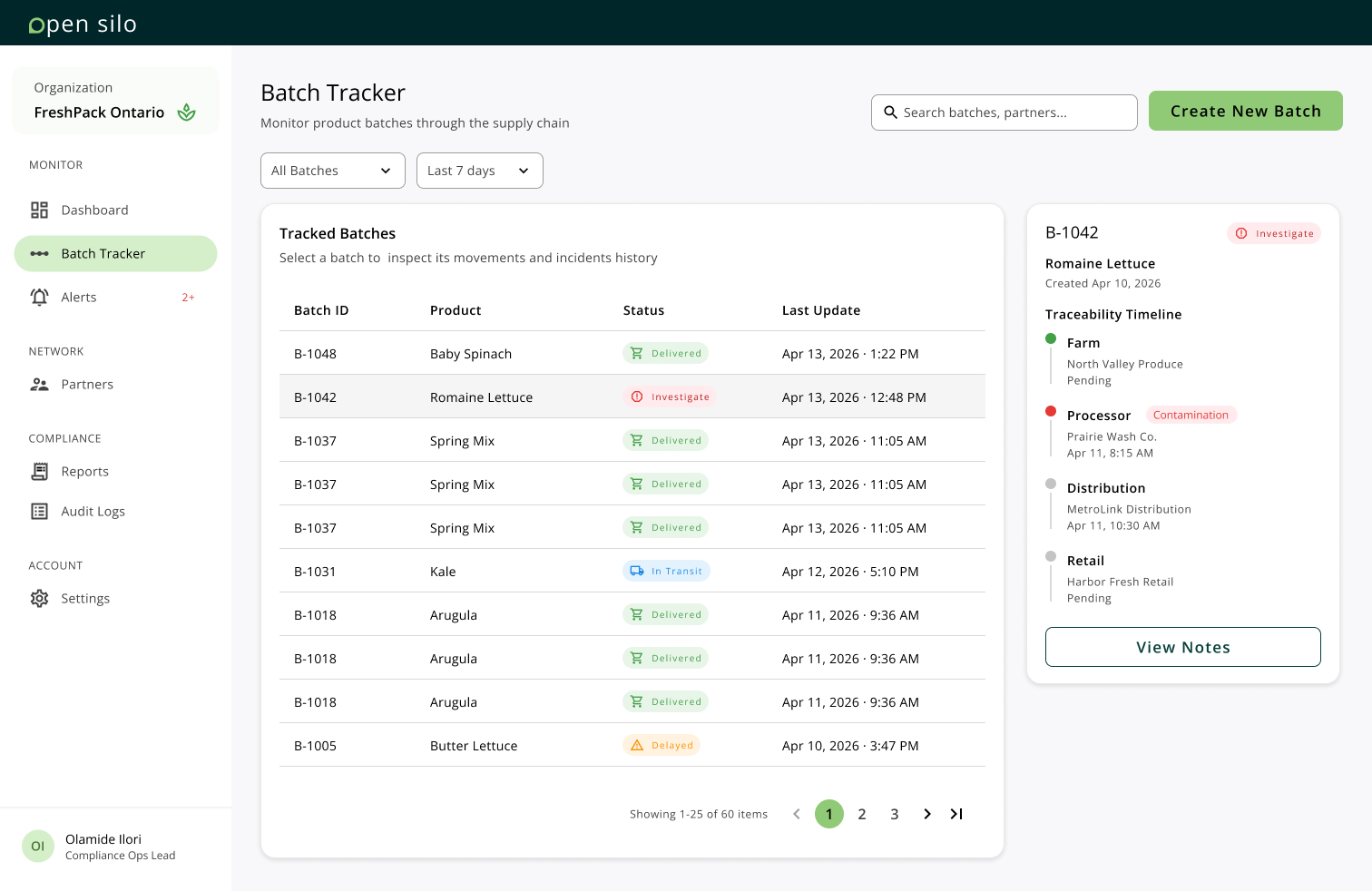
A searchable batch table supports routine monitoring. Selecting a batch opens its traceability timeline alongside the table, where the team can review its movements and see where an incident was flagged.
Reports
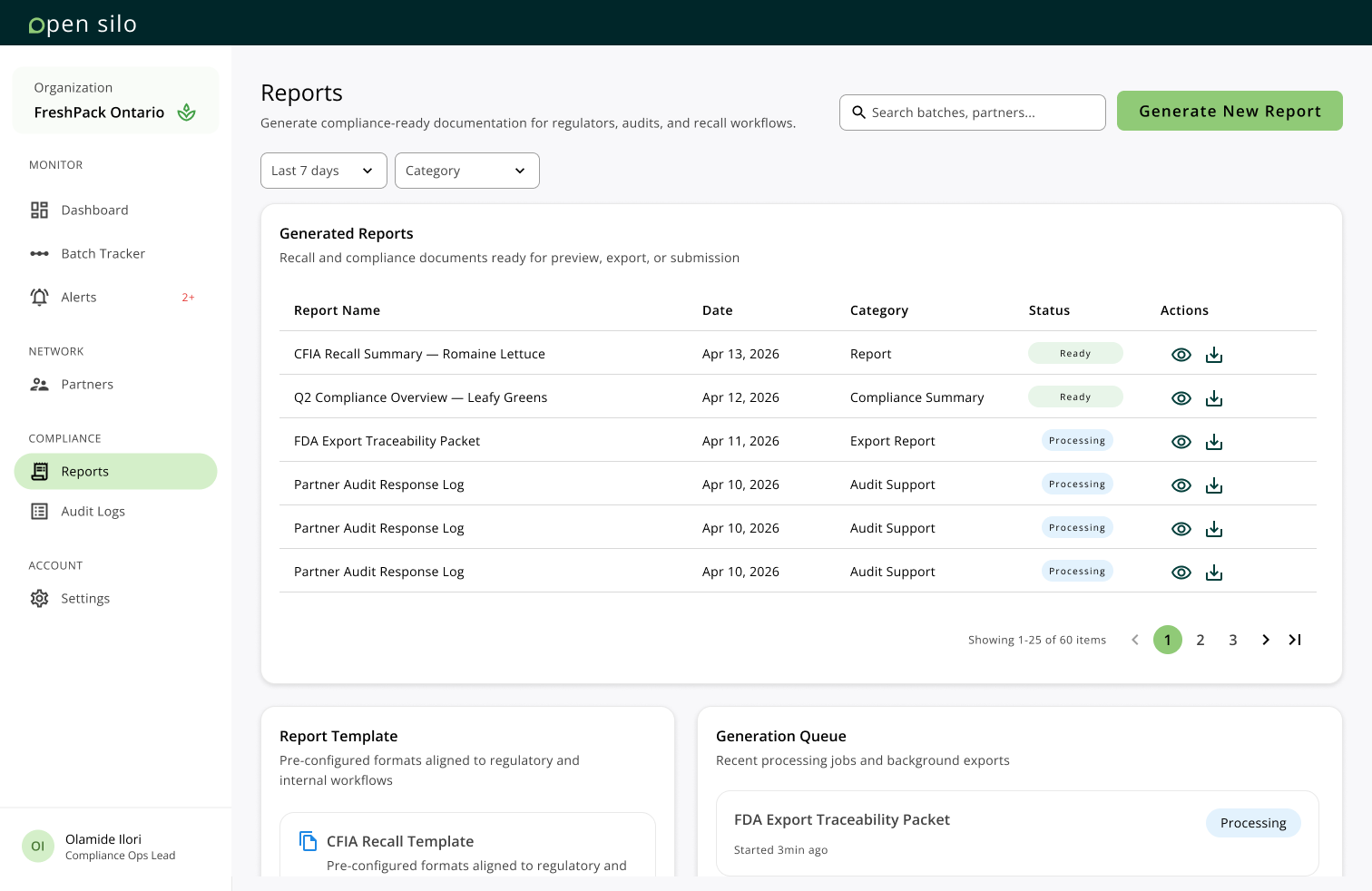
Search, date, and category filters sit above the report list. Ready and Processing labels show which documents are available, and a separate Generate New Report action gives report creation a clear entry point.
05
Build and Iteration
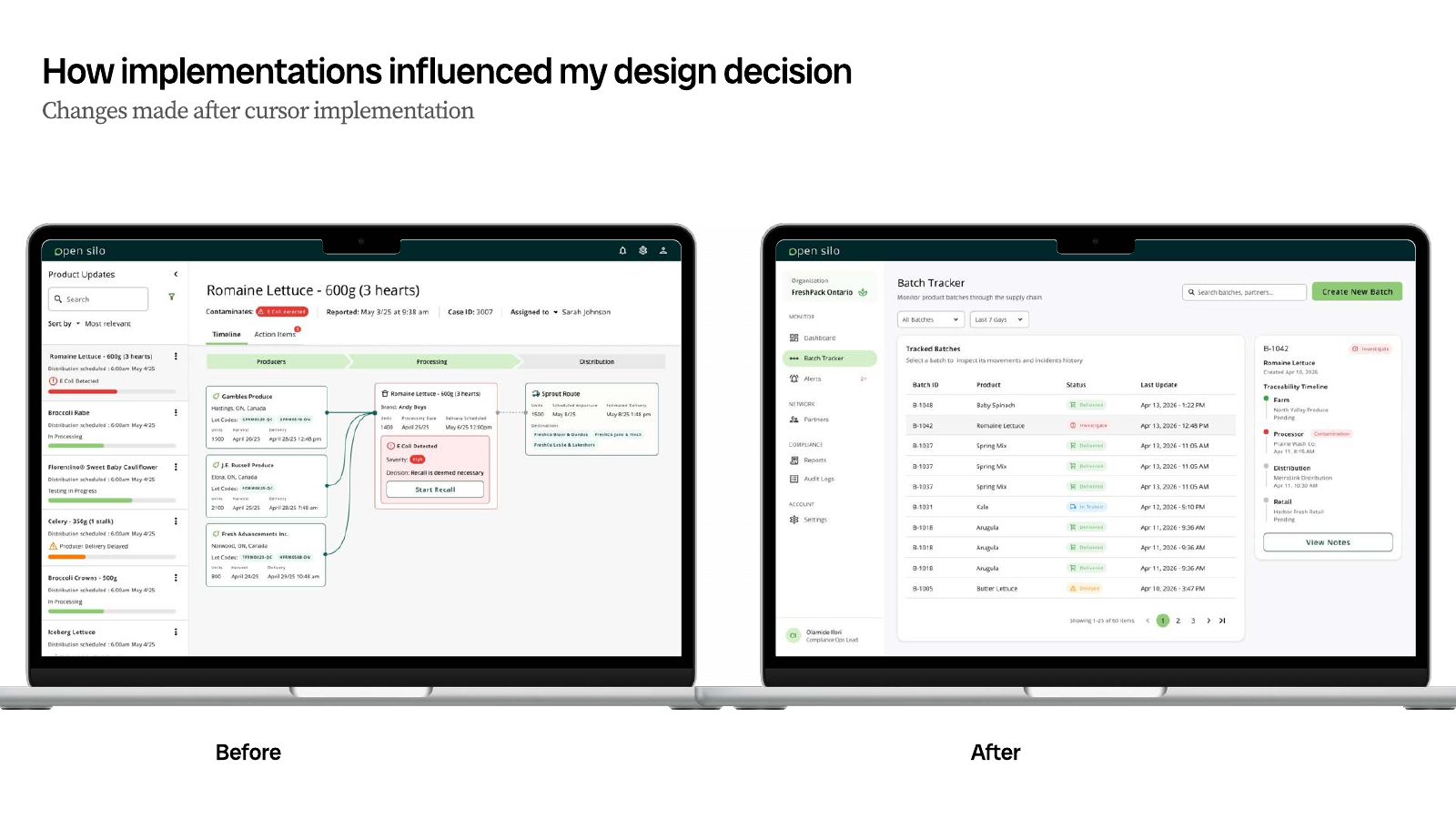
I used Figma MCP to reference frames and components in Cursor and Codex, then built the local React prototype one screen at a time. I treated generated code as a first draft and compared the implementation back to the design for hierarchy, component consistency, spacing, and responsiveness.
The Batch Tracker shows how the build fed back into the design. An earlier concept put the supply chain diagram at the centre of the screen. The revised layout uses a table for scanning multiple batches and reserves the traceability timeline for the selected batch.